 Security policy
(edit with the Customer Reassurance module)
 Delivery policy
(edit with the Customer Reassurance module)
 Return policy
(edit with the Customer Reassurance module)
✅Integration with TUYA Smart and Smart Life applications:Full control and configuration using intuitive mobile applications available on
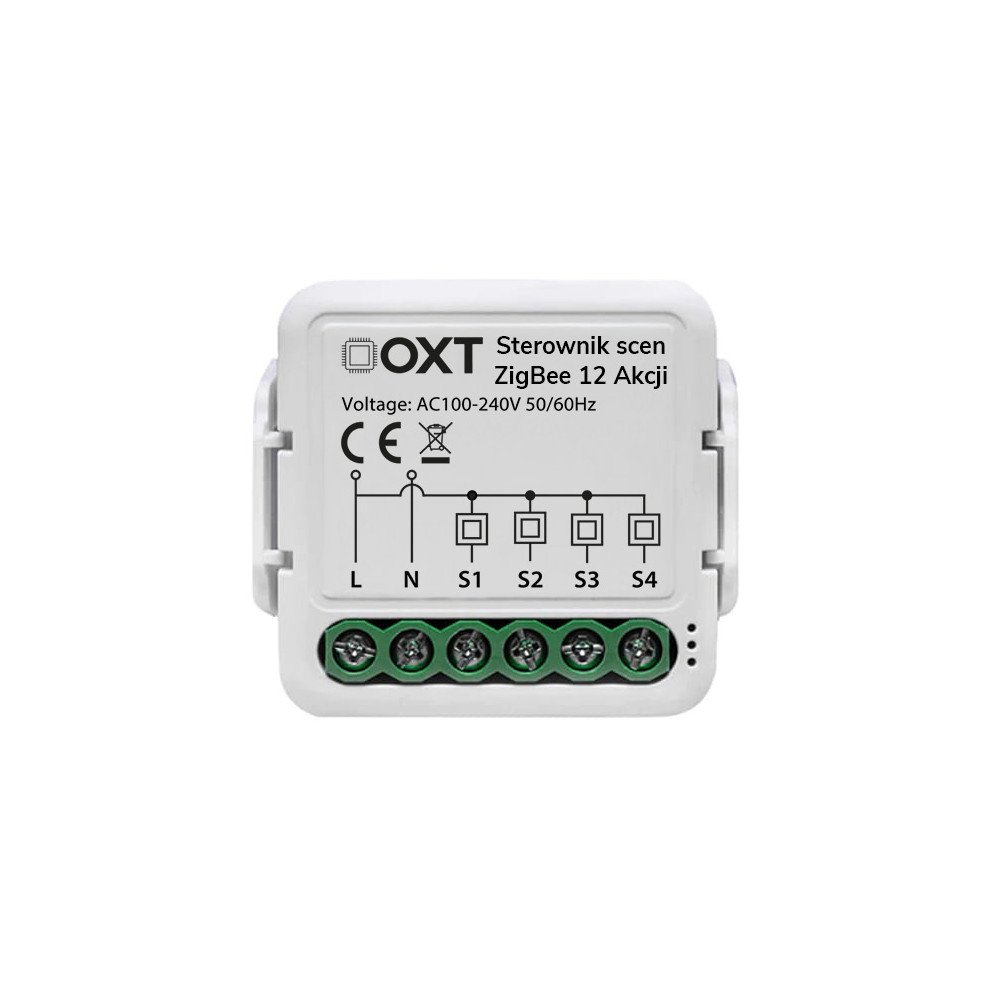
✅Support for 12 actions:Program different scenarios for individual devices or groups of devices. Full flexibility in smart home control. Android and iOS.
✅Small size:Perfect for mounting in electrical boxes or discreetly hidden in other places.
✅Power supply network: With constant power, you don't have to worry about replacing batteries, ensuring non-stop operation.
✅Bell button support: Turn a regular button into a smart remote control to trigger scenes and functions in the Tuya system.
✅Cooperation with voice assistants:Possibility of voice control viaGoogle AssistanttheAmazon Alexa(requires appropriate integration).
✅Easy automation:Create schedules, scenes and event responses - all in the app.
✅Safety of use:Working on tension230Vand the use of certified components guarantee durability and reliability.
✅ZigBee 3.0 Connectivity:Stable, fast and energy-saving connection with compatible gatewaysZigBee.
Scenes are user-defined sets of actions that can be launched manually (e.g. by pressing a button in the application) or automatically (based on time, environmental conditions or activity of other devices). They allow you to control multiple devices simultaneously in full synchronization.
Assign actions, run sequences, change settings or manage groups of many different TUYA devices in your smart home.
Example?One button can:
It all depends on you!
It does not take up valuable space on the walls or in visible places of the house, allowing you to maintain the aesthetics of the interior without being intrusive with its presence. This is an ideal solution both when building a new house and when modernizing an existing installation
☑️ Set your devices to turn on and off automatically at selected times.
☑️ Save energy and increase comfort of use every day - without the need for manual control.
One of the key advantages of ZigBee technology, compared to WiFi-based solutions, is independence from network connectivity. Thanks to this, all programmed automations work continuously, even during the failure of the Internet service provider.
The ZigBee protocol operates on a frequency that propagates well in buildings2.4 GHz
ZigBee connectivity is MESH connectivity, which means thatany ZigBee device with full L+N power works as a signal repeaterfor other devices.If a remote sensor does not have communication with the ZigBee gateway, it is sufficient that it has radio communication with another ZigBee devicewith full L+N power supply that has communication with the gateway (up to 3 devices). The devices work in a mesh chain of connections, which ensures reliability and certainty of the connection
Devices using ZigBee protocol when state changesconnect to the control panel in 0.2 seconds,and WiFi need about 5 secondsto connect to the network after a state change. ZigBee devices have a huge advantage when it comes to automating smart rules.
OnlineWiFiyou will start to experience network problemsat 25 devices❌
To the switchboardZigBeeyou can easily addover 50 devices✔️
ZigBee gateway and devices allow formuch wider and longer storage of parameter data and device history. Door opening history, temperature history, motion detection history saved months ago.
ZigBee communicationuses very little energy, which giveslong service lifeon battery power.
Data sheet
No customer reviews for the moment.